Cardano
Staking Guides
How to Stake ADA via Lumo: A Full Guide (2026)
Staking ADA inside Lumo Wallet takes place in the app, powered by Everstake through the Everstake Wallet SDK. Your private keys stay on your device, the delegation is locally signed, and no custody of your funds is transferred at any point.
OCT 09, 2026
Last updated OCT 09, 2026 · V1
TL;DR
- Stake ADA natively inside Lumo Wallet, powered by Everstake via the Everstake Wallet SDK.
- Self-custodial throughout: keys stay on-device, you sign locally, and no custody transfers.
- You need at least 2.2 ADA to start, since about 2 ADA is held as a refundable deposit; the rest stays liquid.
- Flow: fund the wallet, open Staking Rewards, select Cardano, press Stake ADA, and confirm.
- Delegation activates in about 2 epochs, with rewards starting a few epochs later; track it under Manage stake.
Staking ADA inside Lumo Wallet takes place in the app, powered by Everstake through the Everstake Wallet SDK. Your private keys stay on your device, you sign the delegation locally, and no custody of your funds transfers at any point.
This guide covers why to delegate ADA with Lumo, what Lumo is, and the exact step-by-step delegation flow shown in the app. The whole process runs on-device, from your first tap to the confirmation screen.
Why stake ADA with Lumo
Delegating ADA with Lumo Wallet keeps you a self-custodial network participant while supporting Cardano consensus. Your keys never leave the device, and Everstake runs the validator infrastructure behind the flow.
The delegation stays inside a single app, alongside the Lumo Debit card, fiat on and off ramp, and the PulseAI assistant. There is no need to leave the wallet or connect a separate tool to delegate.
Key reasons to delegate ADA with Lumo:
- Self-custody preserved, with keys held on-device during delegation
- Delegation powered by Everstake, a validator operator running since 2018
- One app for staking, spending, and ramping between fiat and crypto
- Plain-language context on networks and actions through PulseAI
Your ADA stays liquid throughout. Delegation does not lock the delegated amount, and only about 2 ADA is held as a refundable network deposit until you unstake.
About Lumo
Lumo Wallet is a non-custodial crypto wallet and payments platform founded in 2025. The app runs across iOS, Android, and Web, with private keys held on-device and zero platform access to user funds.
The Lumo ecosystem spans four surfaces:
- The non-custodial wallet
- Lumo Debit, a crypto debit card with Apple Pay and Google Pay support
- Lumo Business & POS, with a zero-fee merchant pilot due in Q1 2027
- The embedded PulseAI assistant
Staking sits inside this stack as native functionality. Through the Everstake Wallet SDK, Lumo users delegate ETH, SOL, and ADA without leaving the app.
Staking ADA with Lumo: Step-by-Step Guide
The full ADA delegation flow runs inside Lumo Wallet and is signed locally by you. The steps below follow the in-app screens directly.
Step 1. Connect your account
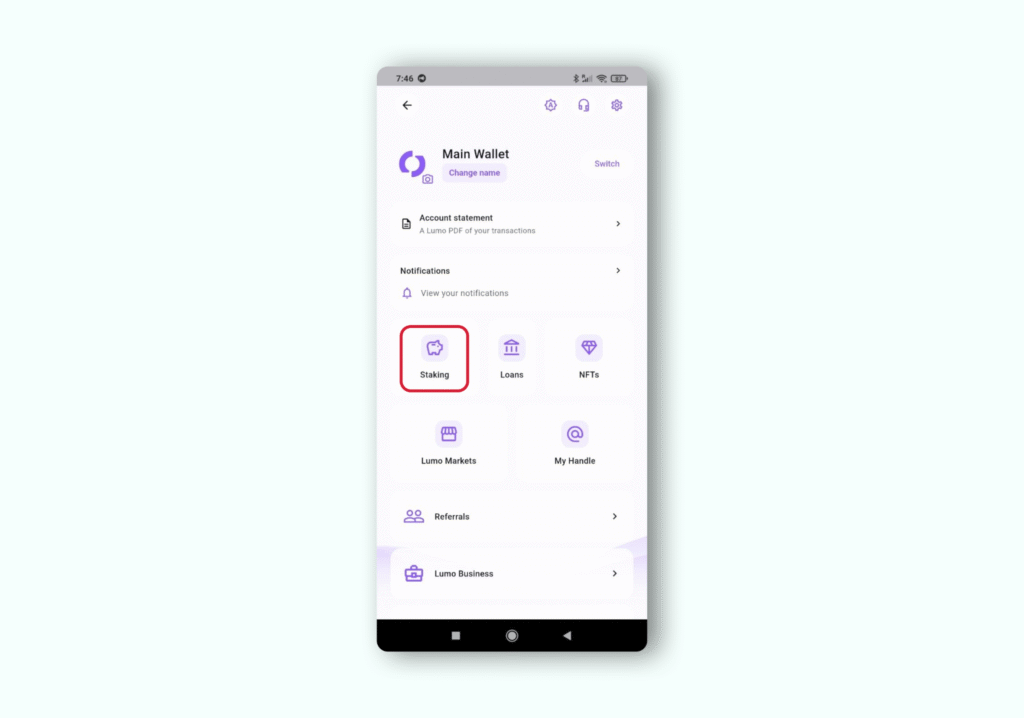
Open Lumo Wallet and unlock the app on your device. Access staking from the main menu by pressing the Lumo logo at the top left corner of the screen, then open the Staking panel labeled Staking.
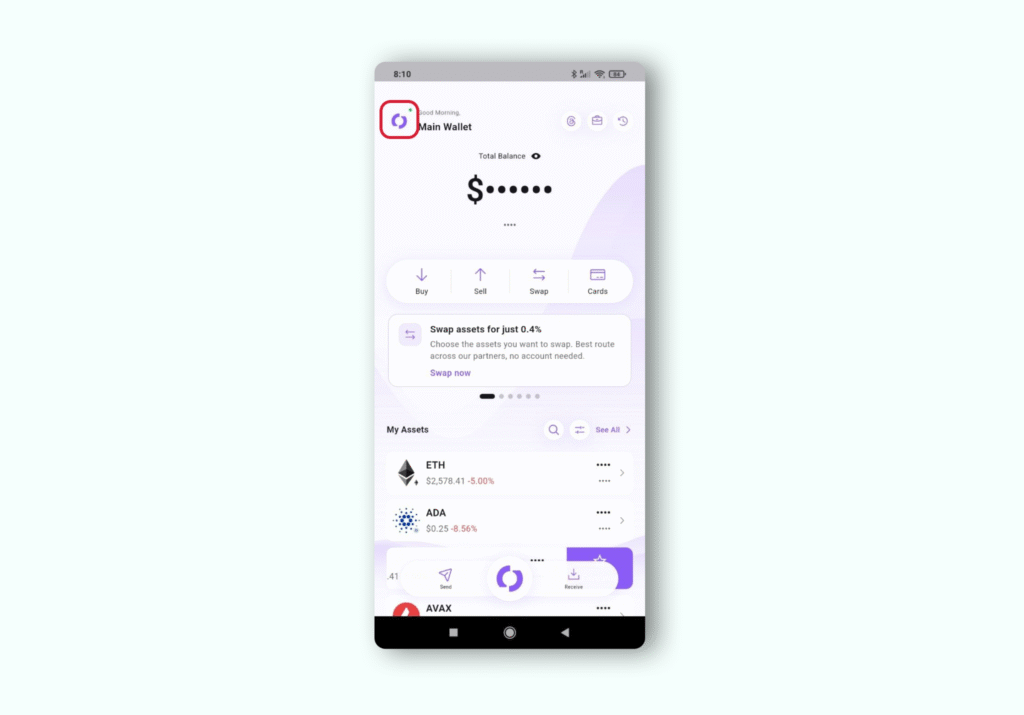
Staking appears alongside your other Lumo tools, so no external connection or separate login is required. Your account is already the signing account for every delegation.
Step 2. Select Cardano for staking
Select ADA as the asset, then use the Stake amount and Duration sliders to see Estimated rewards update in real time.
Open the Staking Calculator to model your delegation, by tapping at the top right corner of the screen.
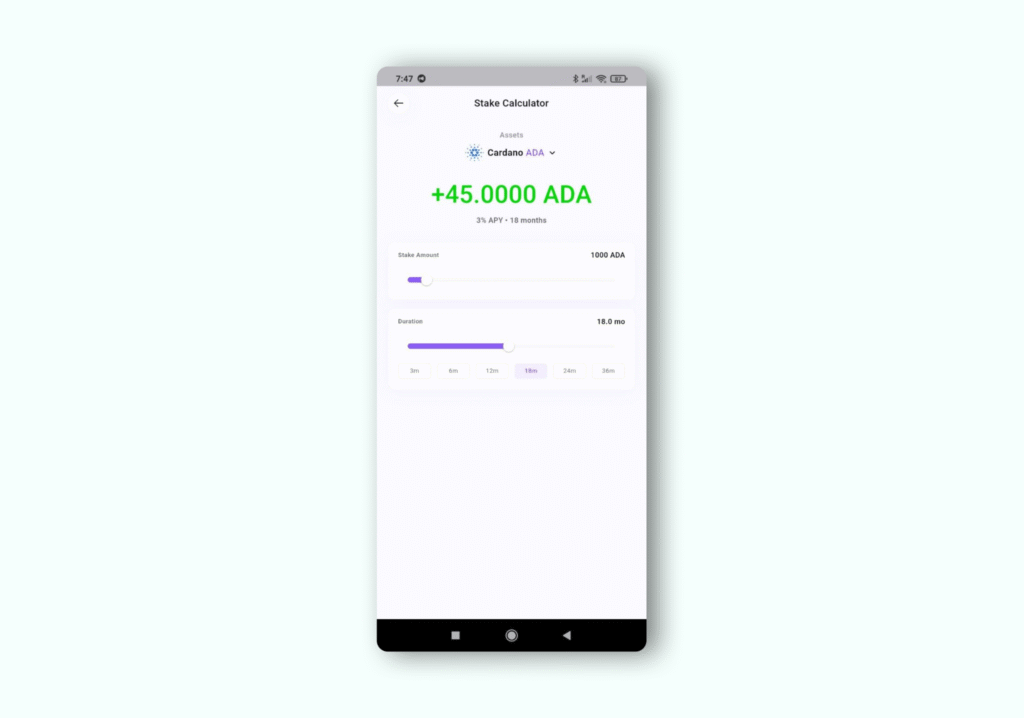
Confirm your Cardano balance before you begin. You need at least 2.2 ADA in the wallet to start delegating, since about 2 ADA is held as a refundable deposit.
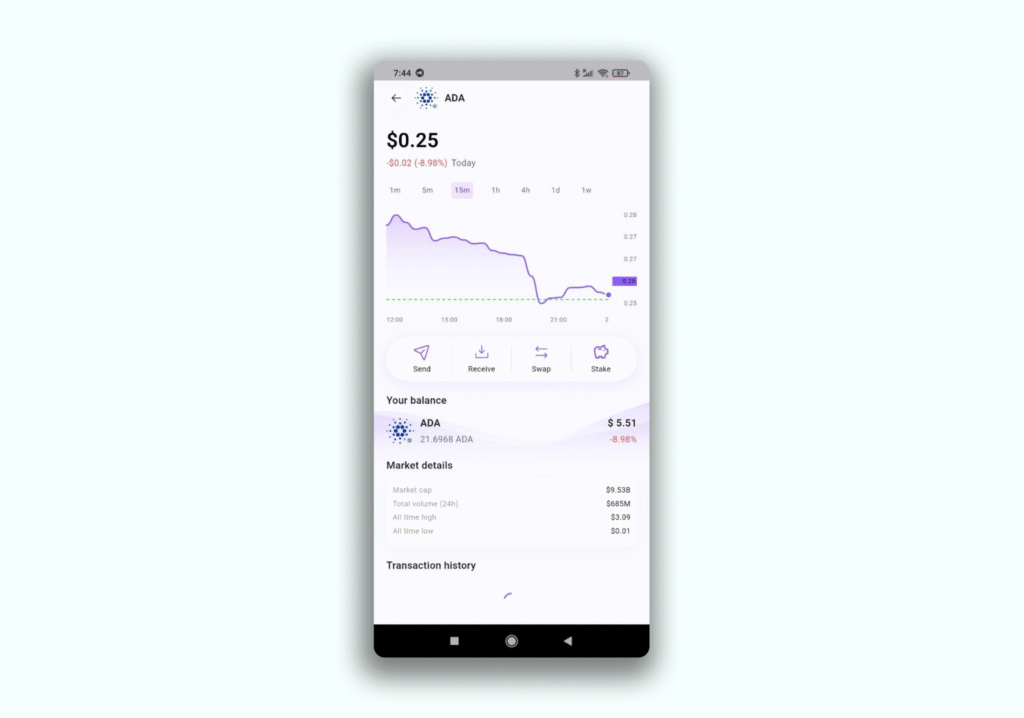
If the wallet shows 0 ADA, the app displays a Not enough ADA notice and a Copy receive address button. Fund the address with ADA first, then return to the staking screen.
Step 3. Start the staking flow
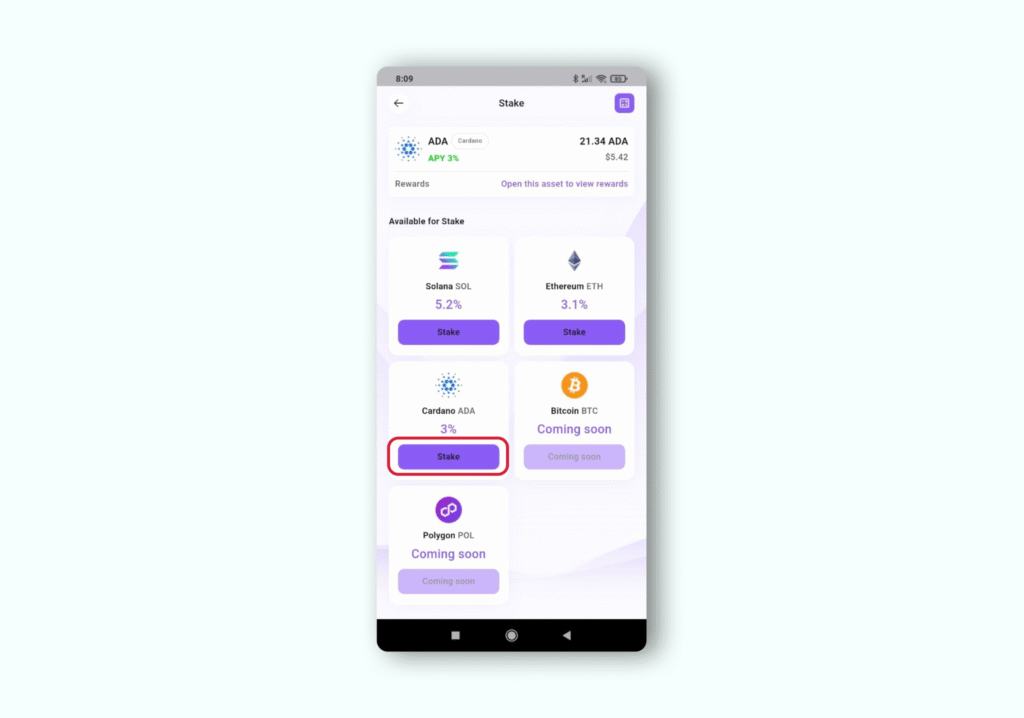
Open the Staking Rewards screen, which lists supported networks including Ethereum, Solana, Cardano, and Polygon. Each card shows the network, your balance, and the current rate.
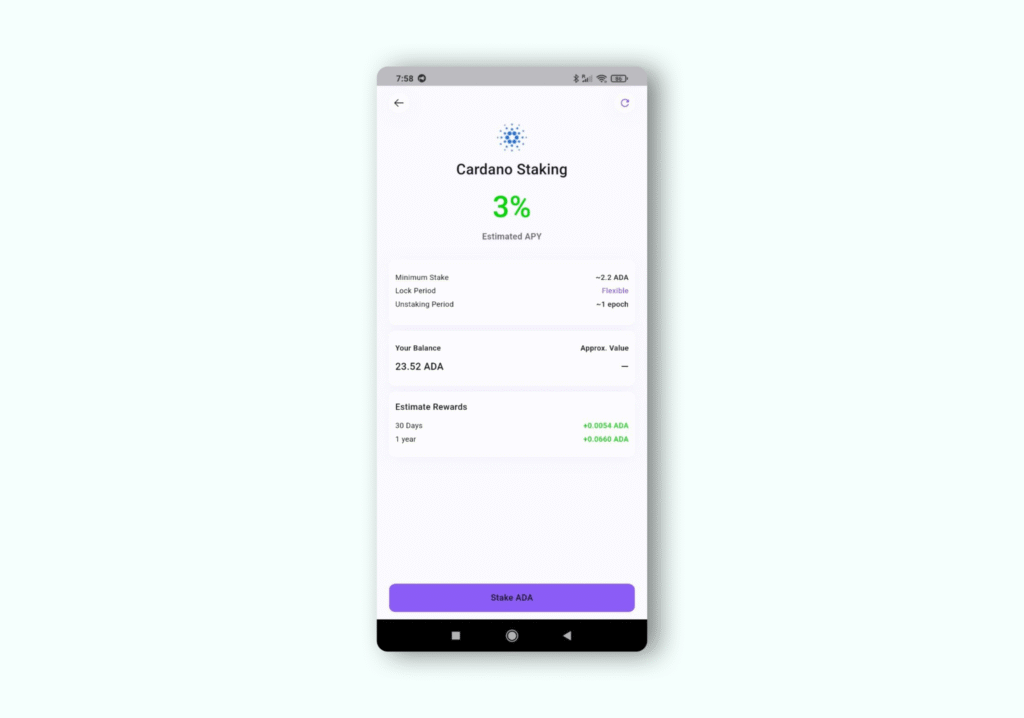
On the Cardano ADA card, press Stake. This opens the dedicated Stake ADA screen for delegation.
Step 4. Review delegation details
Review the delegation summary on the Stake ADA screen before you proceed.
The screen states that delegating generates rewards every epoch, that about 2 ADA is locked as a deposit, and that the rest stays in your wallet.
The panel shows your wallet balance, the current rate, and a Ready to stake status. Confirm the details are correct, then press the Stake ADA button to continue.
Step 5. Choose the staking amount
Lumo delegates your ADA balance rather than requiring a separate amount entry. The delegation covers your full balance, with about 2 ADA set aside as the refundable registration deposit and the remainder staying accessible in your wallet.
Review the balance shown on the screen, for example 10000 ADA, and the deposit note before confirming. Your delegated ADA remains yours and stays liquid throughout the delegation.
Step 6. Confirm the action
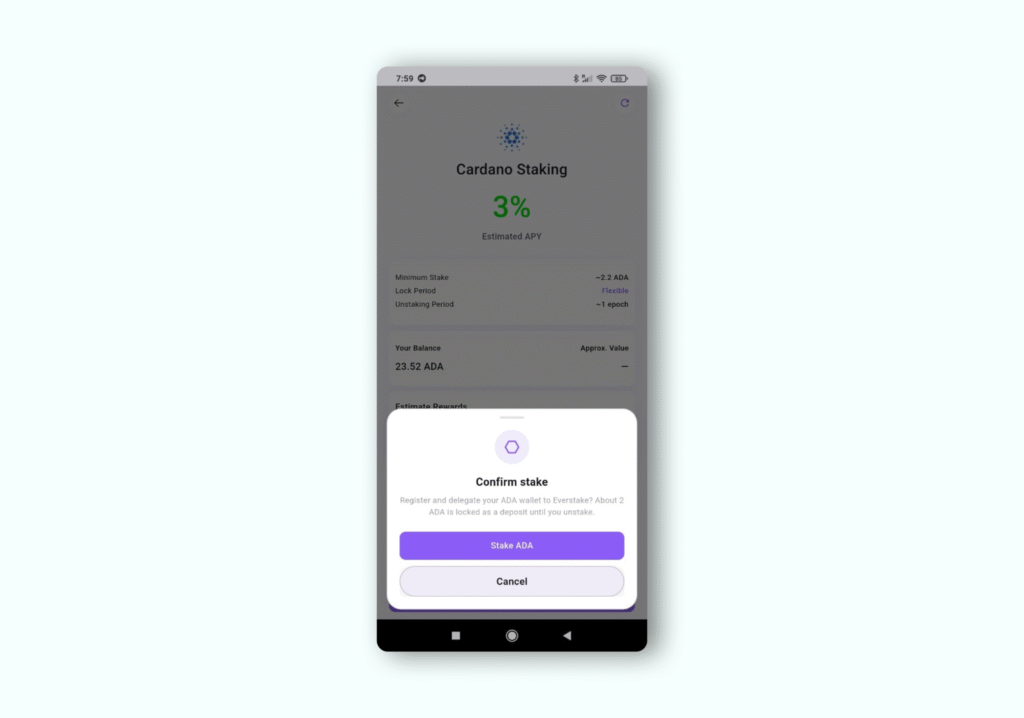
A Confirm stake dialog appears asking you to register and delegate your ADA wallet to Everstake. You will be prompted to enter a passcode to confirm.
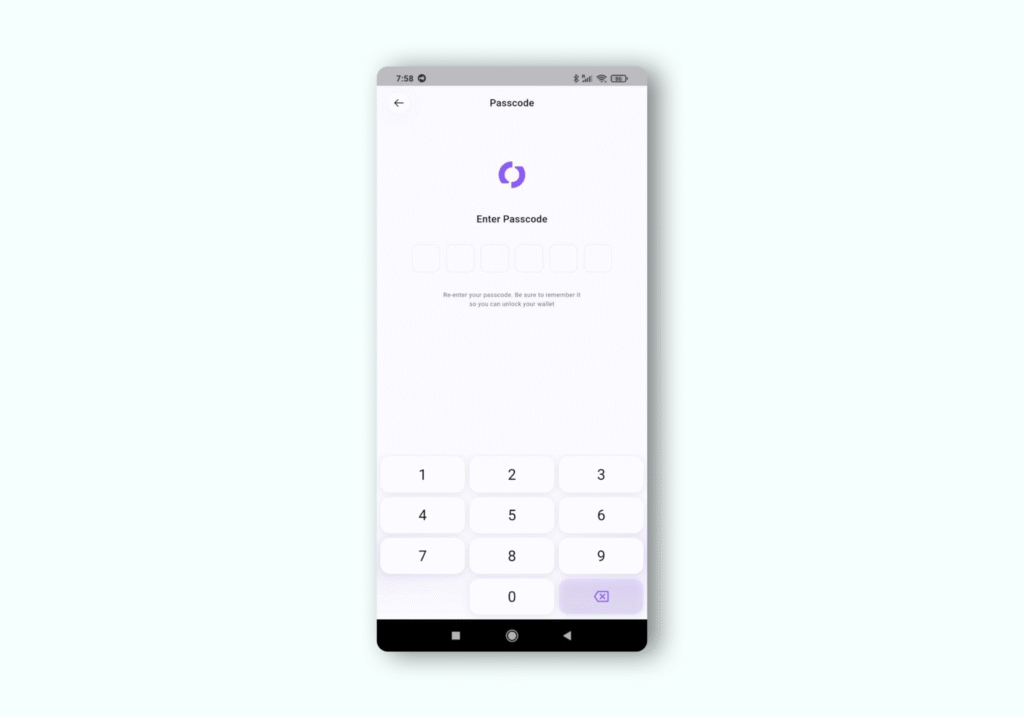
Press Stake ADA to sign and submit, or Cancel to go back. Signing happens locally on your device, so your keys never leave it.
Step 7. Staking activated
After signing, Lumo confirms ADA staked successfully and shows the transaction hash. The delegation activates in about 2 epochs, and rewards begin a few epochs after activation.
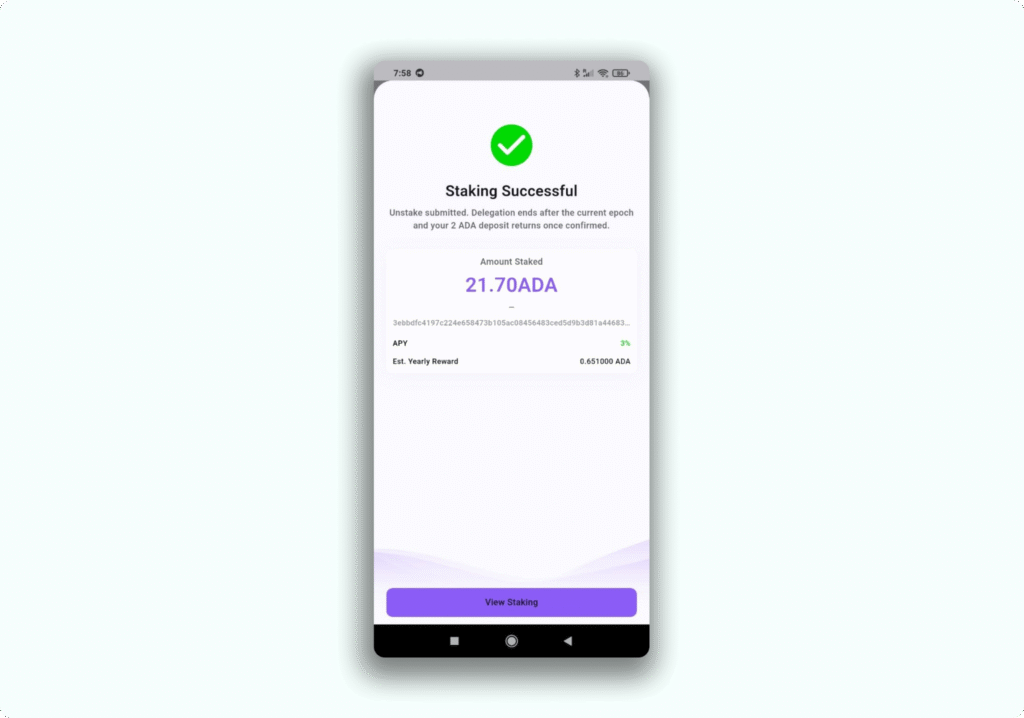
The Stake ADA screen then shows a Pending status with your delegation details:
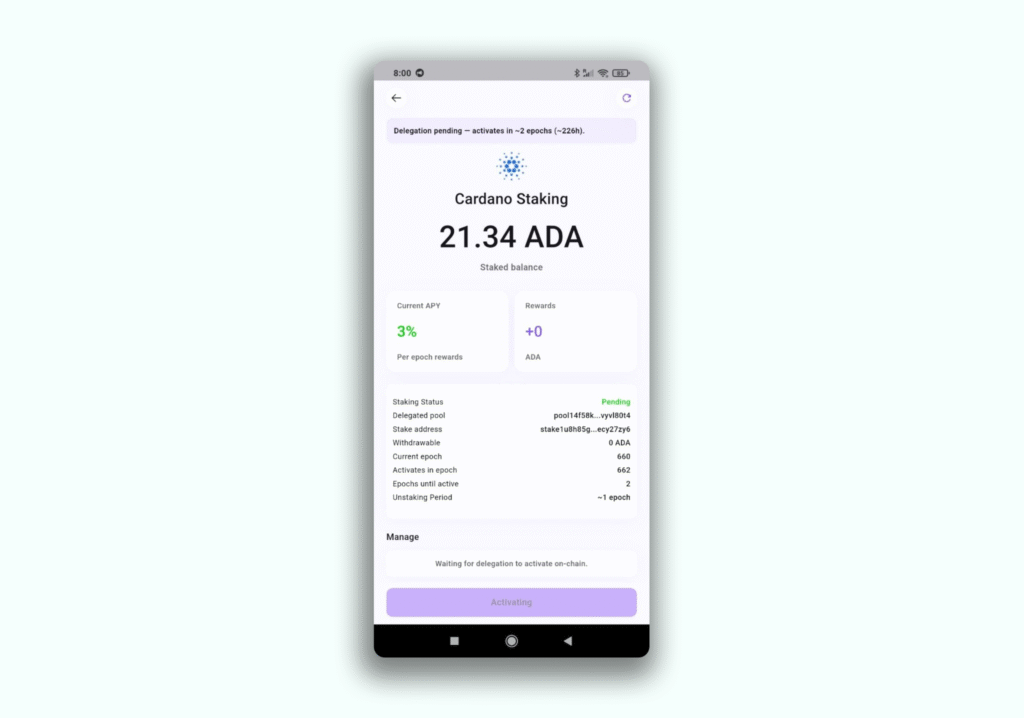
- Status: Pending
- Delegated pool: the Everstake pool ID
- Controlled balance: your delegated ADA
- Rewards: 0 ADA until activation
- Current epoch and Activates in epoch, with epochs until active shown as 2
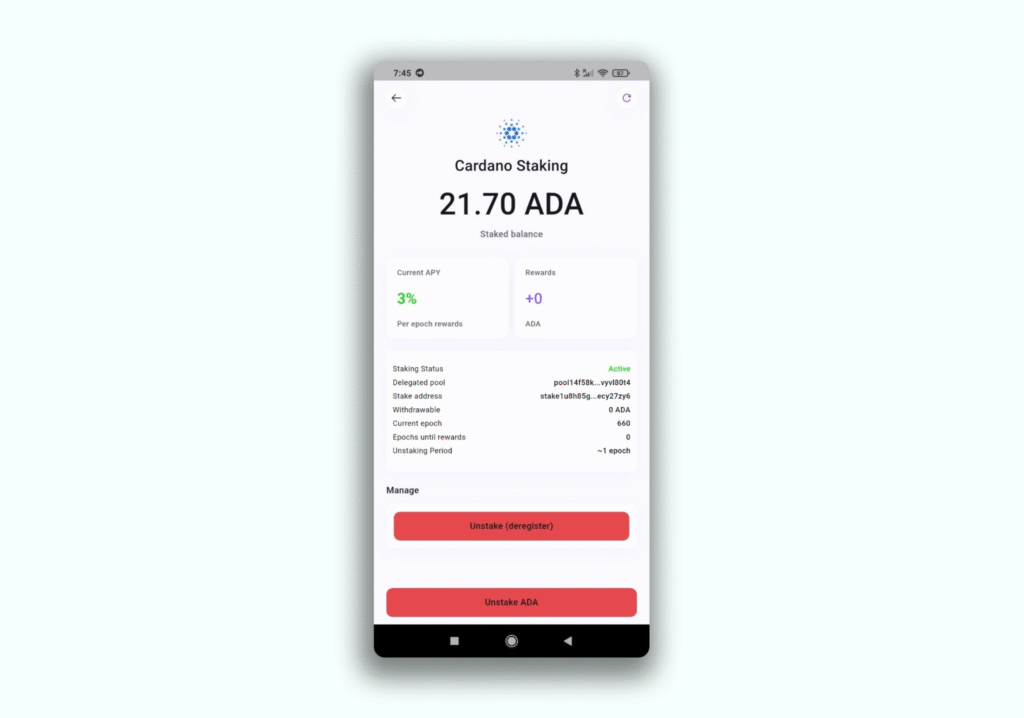
To review your position, open the Cardano menu, select Staking to see delegation details plus options to deposit more or unstake.
To initiate withdrawal, scroll down in the Staking ADA Manage menu and follow the flow of Unstake ADA.
Everstake and Lumo partnership
Everstake integrated native ETH, SOL, and ADA staking into Lumo Wallet through the Everstake Wallet SDK. The integration keeps self-custody as the default, with keys on-device and no custody transfer during delegation.
Everstake is a non-custodial staking provider trusted by over 1,600,000 users to date, with expertise across 130+ Proof-of-Stake networks. Everstake has supported $7 billion in staked assets to date through infrastructure aligned with SOC 2 Type II, ISO 27001, and NIST CSF 2.0.
The Everstake Wallet SDK condenses operating experience since 2018 into a developer toolkit that adds staking flows in days. Lumo Wallet users get validator infrastructure run by a dedicated team, with protocol updates tracked over time.
Conclusion
From there, your delegation activates in about 2 epochs and you become an active participant in the Cardano network, with Everstake running the validator infrastructure behind it. Open Lumo, stake your ADA, and start supporting the network today.
Share with your network